
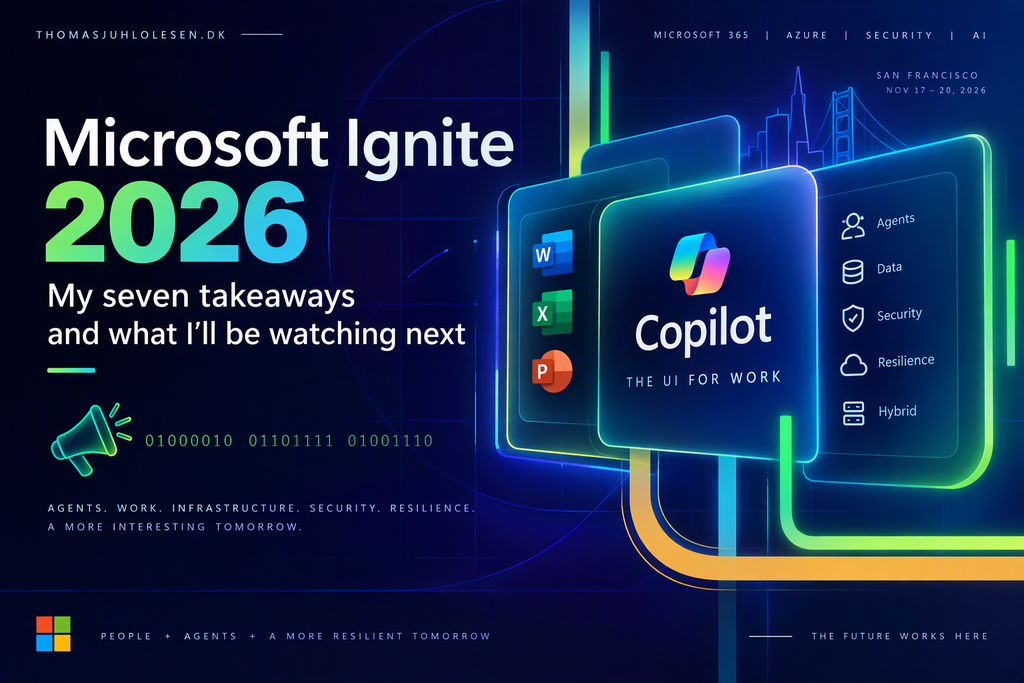
Ignite is always a lot to take in, but this year I found myself paying less attention to individual features and more to how some pieces are starting to fit together, but must admit i was really suprised to have to wait 2 hours into the Keynote before the new cyber-stack was introduced… in my mind this should be front and center 🙂
As my work spans hybrid infrastructure, Azure, Microsoft 365, identity and security, I’m particularly interested in what the agentic transition means underneath: context, identity, permissions, security, resilience, and where all of this actually runs.
These are the eight things from Microsoft Ignite 2026 I’ll be watching, hope it can be of use to you to 🙂
1. Work IQ might be more important than new Copilot features
Work IQ is Microsoft’s intelligence layer for work, giving Copilot and agents context from email, meetings, chats, files, people and relationships while respecting the permissions already present in Microsoft 365. [techcommun…rosoft.com]
What caught my attention at Ignite is that Work IQ is moving beyond retrieval. With Listen, agents can react to events rather than waiting for someone to prompt them, while Work IQ APIs can increasingly perform actions, including more than 60 native SharePoint operations across lists, libraries, approvals, Quick Steps and versioning. [techcommun…rosoft.com]
There is quite a difference between:
“Find the latest project information in SharePoint”.
and:
“Monitor the project, notice something changed, update the tracker and start the appropriate approval”.
One is retrieval. The other is execution…. THATS where the business value lies.
And once we make that transition, i become very interested in what happens underneath: what can the agent see and remember, which identity and permissions are evaluated when it acts, and what happens when that action leaves Microsoft 365 and calls something else entirely?
Those are things I want to test, and this leads me into takeaway 2.
2. Microsoft IQ makes context an architecture problem
Initially, I wasn’t sure if Microsoft IQ was mainly another name we all needed to learn, but maybe there’s more to it.
Microsoft IQ brings together Work IQ, Fabric IQ, Foundry IQ and Web IQ, along with third-party connectors, with the intention of making organisational context, knowledge, skills and tools reusable across different agents and platforms. [azure.microsoft.com]
I think that could introduce a problem: What should an agent actually trust?
Imagine Sharepoint says your customer gets a 10% discount, CRM says 15%, somebody discussed 20% in Teams yesterday, and Finance has an Excel sheet saying something completely different…. very realistic
Giving an agent access to more information doesn’t necessarily improve the answer. Sometimes we’ve just provided four different ways of being wrong 🙂
We’ve spent years defining authoritative systems for identities, customers, devices and financial information, and I suspect we’ll need to start thinking in much the same way about context – meaning where does the authoritative information live, who owns it, how fresh is it, what happens when sources disagree, and when should an agent not use something even though the user technically has access to it?
I’m not sure Enterprise Context Architecture is a real discipline yet, but I think we’re going to need something along that line.
3. Copilot is no longer the UI for AI. It’s becoming the UI for work
There was another development I initially almost put in the “nice new Copilot features” bucket, but the more I think about it, the more significant it feels.
Office is moving natively into Copilot, with Word, Excel and PowerPoint capabilities being brought directly into the Copilot experience alongside Chat, Cowork and Microsoft’s other emerging experiences. [microsoft.com], [news.microsoft.com]
That sounds like just a UI change, I don’t think it is…. and add to that the reinforcement of teambased AI work with notebooks becoming Workspaces as true collaborative AI powered Office productivity spaces… i like it ALOT,
Until now, I go to Word to work on a document, Excel to work with data, PowerPoint to create a presentation, and Copilot when I want AI to help me with those things.
That shifts….the work comes into Copilot.
We’ve spent many years teaching users that the application is the starting point: want to write something, open Word; want to work with numbers, open Excel; want to present something, open PowerPoint.
Now insite CoPilot, think What are you trying to accomplish?
The output might still be a Word document, an Excel workbook or a PowerPoint presentation, but the application no longer necessarily needs to be the place where the work starts.
OH and bytheway unlike Microsoft 365 Copilot, both Claude and ChatGPT meter Office file creation against shared usage pools or token-based credits on their business plans, where CP offers unlimited native file generation under a flat per-seat fee
Combine that with Work IQ, Cowork, Workspaces and agents, and Microsoft’s talk about Copilot becoming an”OS for work” starts making sense. [blogs.microsoft.com], [microsoft.com]
I don’t think Word, Excel or PowerPoint are going anywhere (in the near future), but perhaps we’ll care less about which application we should open, because Copilot can increasingly bring the capabilities we need into the work we’re already doing.
4. MCP/Agentic is going to become part of the security perimeter
An agent that can read information is interesting. An agent that can use tools is a completely different security problem.
Imagine an agent that reads an invoice from SharePoint, checks the supplier in an ERP system, creates an approval, updates the ERP system and sends Finance a message…. all with YOUR standing permissions…
That’s identity, authorization, application security, data security and auditing – agentside, it has to be manage, we need Segregation of Duty on the Agent ….
The chains is somethin like User → Agent → Identity → Permission → MCP → Tool → Resource
Where for every arrow we must ask who authorized it, which identity is being used, what is the scope, where is it logged, and can untrusted content influence the agent into calling a tool it shouldn’t?
This is also where dynamic permissions, currently in preview, become very interesting. Rather than giving an agent broad standing permissions because it might need them, the direction is towards evaluating access when the agent actually needs to perform an action. – Daniel Bradley (MVP) has wrtitten a great article on that topic. https://ourcloudnetwork.com/how-microsoft-entra-dynamic-permissions-preview-works/
So forget about “just” give the agent everything it could possibly need, instead. Give the agent what it needs for this action, in this context, with the appropriate authorization and controls.
That’s essentially least privilege and just-in-time access applied to agents,
This is definitely one I’ll be coming back to.
5. Agent 365 really makes sense
If an organization has five agents, someone can probably keep track of them. If it has 500, we have an IT management problem.
Which ones are still being used, who owns them, what permissions do they have, which tools can they call, what are they costing, and eventually, are they actually producing any value?
That’s why Agent 365 makesso much sense. Microsoft is building a control layer around agents, while Agent 365 Business Analytics starts connecting AI usage and spending with adoption and business outcomes. [news.microsoft.com], [news.microsoft.com] – this is connecting the dots !
We’ve seen all this before: we deploy something, then we deploy a lot of it, = sprawl…..the governance arrives, and eventually Finance asks why the bill looks like that.
I see no reason agents will be different.
Eventually this starts looking less like managing an AI feature and more like managing another part of the IT estate:
Inventory → Owner → Identity → Permissions → Tools → Usage → Cost → Outcome → Retirement
Makes me think of one of my returning asks… Have YOU established an AI CoE yet ? If not how comes….
6. AI becoming hybrid
From an infrastructure and security perspective, Windows Server 2028, Azure Local and Foundry Local were some of the areas I found most interesting, not simply because Microsoft is bringing AI closer to on-premises infrastructure, but because this gives us more control over where models execute, where data remains, which security and network boundaries are crossed and how connected a workload needs to be, think offline OT sites… they will eventually need Agents to. [techcommun…rosoft.com], [techcommun…rosoft.com]
And this feels familiar.
Years ago, the discussion was:
Cloud or on-premises?
Eventually, most of us learned that was the wrong question. The better one was:
Which workload belongs where?
I think AI is heading towards exactly the same conversation.
A model might run in Azure while the data stays local, another model might run locally because of latency, sovereignty or connectivity, an agent might need to operate while disconnected, and we may still want centralized identity, security, governance and monitoring around everything.
So the interesting question isn’t whether we should run AI on-premises.
It’s where should this piece of intelligence best be ran or processed? and what happens when it can’t reach other nieded pieces of IQ?
That’s a much better architecture discussion.
7. Running in Azure doesn’t mean it’s resilient
OK I admit it, I am a Mark Russinovich fanboy…
One of my favourite sessions at Ignite was AI-powered resiliency for modern workloads with Mark Russinovich ,which focused on engineering for failure, understanding critical dependencies, identifying resilience gaps and improving recovery. [ignite.microsoft.com]
It touches on something i hear surprisingly often: “Ours VM are in Azure, and it’s resilient.”
Not necessarily an Azure VM is still a VM.
If I take an application consisting of one application server and one database server and move both into Azure, I haven’t created a resilient application. I’ve changed where my two servers are running.
Azure gives us an enormous toolbox for building resilience, but somebody still has to design the workload to use it and, just as importantly, test whether it actually behaves the way the architecture diagram says it should.
That’s whatr I liked about Mark Russinovich’s resilience discussion, Azure deliberately tests failure because distributed systems have a habit of failing in considerably more creative ways than we draw in architecture diagrams. [tech.hub.ms]
Agentic operations become interesting here too (section on Perception coming later 🙂 ).
So instead of Monitor → Alert → Human investigates → Human remediates
we shuld start moving towards, Observe → Correlate → Investigate → Recommend → Human approves → Remediate
Microsoft are very obviously leaving, human in the chain… human-in-the-loop is actually a main theme across Ignite 2026, who would want a language model redesigning production because it decided CPU usage looked suspicious.
But an agent that reasons across Azure Monitor, Service Health, application dependencies and configuration could help us understand the business service rather than simply its individual resources, potentially finding hidden dependencies and helping us test those assumptions with tools such as Azure Chaos Studio (love that name BTW)
This leads perfectly into my last,m and actually one of my MAIN takeaways
8. The alert is dead. The SOC has to become agentic
Finally, one of the security messages from Ignite that resonated with me was the rather provocatively titled The Alert Is Dead. The Blueprint for the Agentic SOC. [ignite.microsoft.com]
I think the underlying argument is right.
For years we’ve built security operations around a fairly linear model:
Signal → Alert → Queue → Analyst → Investigation → Response
We’ve added SIEM, XDR, SOAR, automation and AI to make that process faster, but somewhere in the middle there is still too often a human analyst staring at a queue and deciding what to investigate next, I don’t think that scales very well
Attackers are increasingly using automation and AI themselves, and Microsoft describes attacks moving across identity, endpoints, email, cloud resources and applications faster than analysts can manually connect the signals. [microsoft.com], [microsoft.com]
There is simply no realistic way we’re going to answer machine-speed attacks by putting more humans in front of more alerts.
That’s why Microsoft Perception is so interesting, and might be a huge gamechanger !
Rather than adding another AI assistant beside the SOC analyst, Microsoft Perception coordinates red, blue and green agents: red agents look for attack paths, blue agents investigate and triage, while green agents work on exposure and remediation, with information flowing between them instead of every alert becoming another isolated investigation. [techcommun…rosoft.com], [microsoft.com]
We shift from, Detect → Alert → Wait for human → Investigate → Respond
to:
Test/ Perceive → Correlate → Reason → Investigate → Act → Continuously reassess with humans defining priorities, guardrails and approvals for consequential actions.
And to be clear, I don’t think this removes humans from the SOC. I think it changes what we need humans to do.
If an analyst spends the beginning of every investigation manually gathering identity, endpoint, email and cloud signals that an agent can correlate in seconds, we’re using human expertise for the wrong part of the problem.
Humans should ONLY deal with judgment, risk, exceptions, strategy and accountability, machines need to deal with scale.
That’s also why I like Microsoft’s shift towards security outcomes rather than simply processing alerts. Microsoft Perception is designed around coordinated playbooks, least-privilege agent access, approvals for critical actions and auditable agent activity, while Microsoft’s broader agentic SOC model describes moving from individual triage towards continuous attack disruption. [microsoft.com], [microsoft.com]
So could the future SOC be humans and agents operating as one security system, each doing the part they’re actually good at.
That will then be one of the biggest changes to security operations we’ve seen since SIEM and XDR.
My overall takeaway
If I had to reduce Ignite 2026 to one thought, it would probably be this:
AI is moving from something we use, over to something that works with us.
That shift reaches much further than productivity. We now have to think seriously about agent identity, context, dynamic permissions, MCP, governance, hybrid execution and resilience, while security operations face the same transition from AI assisting humans to humans and agents operating together.
For those of us working across Microsoft 365, Azure, hybrid infrastructure, identity and security, I think that makes the next few years considerably more interesting, fun and also probably a little more complicated. 🙂
Thank you for reading to the end 🙂
Sources
- Microsoft Ignite 2026 Book of News, Microsoft https://news.microsoft.com/events/ignite/2026/book-of-news/
- What’s new in Work IQ at Ignite 2026: agents that get work done, Microsoft [techcommun…rosoft.com]
- Introducing the new Microsoft IQ, Microsoft [azure.microsoft.com]
- Windows Server 2028: A trusted foundation for an evolving enterprise, Microsoft [techcommun…rosoft.com]
- AI-powered resiliency for modern workloads with Mark Russinovich, Microsoft Ignite [ignite.microsoft.com]
- The Alert Is Dead. The Blueprint for the Agentic SOC, Microsoft Ignite [ignite.microsoft.com]
- What’s new with Microsoft Perception at Ignite 2026, Microsoft [techcommun…rosoft.com]
- The agentic SOC, Rethinking SecOps for the next decade, Microsoft Security [microsoft.com]